![full-logo-black (3)-1.png]](https://support.bizzycar.com/hs-fs/hubfs/full-logo-black%20(3)-1.png?height=40&name=full-logo-black%20(3)-1.png)
Service Technicians or drivers can notify coordinators for payment requests from the mobile app.
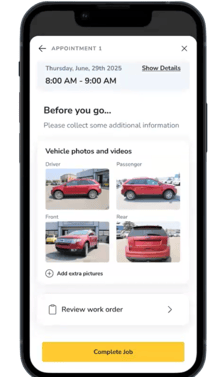
1. Payment Request before Job Completion
- Select YES on the payment request prompt.
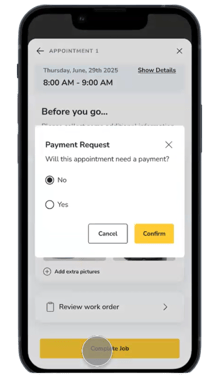
- Type the service requiring payment in the notes section. These notes will included in the notification to your coordinator. Click Confirm.
.png?width=220&height=377&name=HB%20Assets%20for%20Text%20Version%20(33).png)
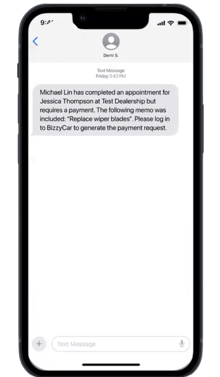
- The coordinator will receive a system generated SMS about the payment request.