![full-logo-black (3)-1.png]](https://support.bizzycar.com/hs-fs/hubfs/full-logo-black%20(3)-1.png?height=40&name=full-logo-black%20(3)-1.png)
Enabling Recall Campaigns for Mobile Service
- Go to https://www.bizzycar.com/sign-in and log in to your account.
-
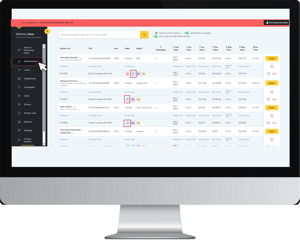
Once logged in, click Campaigns from the left panel.
.png?width=300&height=252&name=Untitled%20design%20(15).png)
-
Check the Mobile Service box next to a campaign to make it mobile service eligible.
-
Note: The Mobile Service Friendly column shows OEM-recommended campaigns but doesn’t enable them automatically.
.png?width=300&height=252&name=Untitled%20design%20(16).png)
-
-
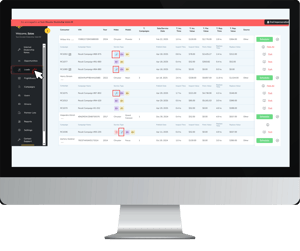
Successfully enabled campaigns will include a wrench icon when you pull up your current list Opportunities and Leads.
Dealerships can then start scheduling mobile service appointments.